

How Automation Can Improve Your Website’s Page Speed for SEO
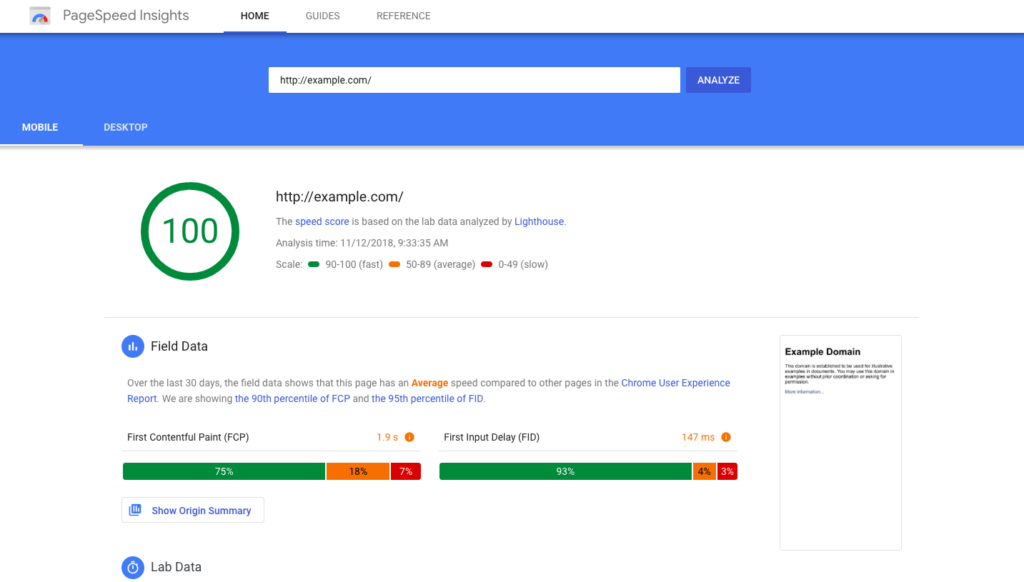
Page speed is a critical factor for both user experience and SEO performance. A slow-loading website can lead to higher bounce rates, lower engagement, and even ranking penalties from search engines like Google. However, improving page speed often requires ongoing effort and attention to detail.
Automation can improve your website’s page speed for SEO, making it easier to implement changes, monitor performance, and address technical issues efficiently. In this article, we’ll explore how automation tools can help speed up your website, boost your SEO rankings, and provide a seamless experience for your visitors.
1. Why Page Speed Matters for SEO
Before diving into the automation tools, it’s important to understand why page speed is so crucial for SEO. Search engines, particularly Google, prioritize fast-loading websites because they offer a better user experience. Websites that load slower than expected tend to see a drop in rankings due to the following reasons:
- User Experience: Slow pages frustrate visitors, leading to higher bounce rates and lower engagement, which negatively impacts SEO.
- Mobile Optimization: As mobile browsing continues to grow, Google’s mobile-first indexing means that slow mobile page speeds can significantly hurt your rankings.
- Crawl Efficiency: Search engine bots have limited time to crawl your site. If pages load slowly, they may crawl fewer pages, meaning your content could get overlooked or missed entirely.
By using automation to improve page speed, you can not only enhance user experience but also boost your site’s overall SEO performance.
2. Automation for Image Optimization
Images are one of the biggest culprits of slow loading times. Without proper optimization, images can drastically slow down your website. Fortunately, several automation tools can handle image optimization, reducing file sizes without sacrificing quality:
Image Compression Tools
- TinyPNG: This tool uses smart lossy compression techniques to reduce the size of your images without compromising their visual quality. TinyPNG can be integrated with your CMS or automated via plugins to compress images as you upload them.
- ImageOptim: For Mac users, ImageOptim allows automatic image compression on your website’s images, significantly speeding up loading times.
Automating image compression ensures your images are optimized in the background without requiring manual intervention, which helps maintain fast page load times across your website.
3. Automated Caching for Faster Load Times
Caching is an essential technique for speeding up websites. By storing static versions of your pages, you can reduce the load time for repeat visitors and decrease the load on your server. Automating caching ensures that your website delivers content quickly to users without manual setup for every page load.
Caching Plugins
- WP Rocket: This is a popular caching plugin for WordPress that automates several performance optimization tasks, such as page caching, cache preloading, and file minification.
- W3 Total Cache: Another robust plugin for WordPress, W3 Total Cache automatically handles page caching and integrates with content delivery networks (CDNs) to further reduce loading times.
These tools allow you to automatically cache web pages and content, delivering faster load times for your visitors and improving SEO performance.
4. Minification and Compression of CSS, JavaScript, and HTML
Excessive code can weigh down your web pages, but tools can automate the minification and compression of CSS, JavaScript, and HTML files. This process removes unnecessary spaces, characters, and comments in the code, which results in smaller file sizes and faster load times.
Minification Tools
- Autoptimize: This WordPress plugin automatically minifies your website’s CSS, JavaScript, and HTML files, which reduces the size of these files and improves page speed.
- Cloudflare: Cloudflare offers a range of tools that help with both compression and minification of your website’s code automatically, along with content delivery via its CDN.
Automating this step ensures that your website loads faster without requiring manual editing of each individual file.
5. Content Delivery Networks (CDN) for Global Speed
CDNs can automatically deliver content from the closest server to the user, reducing the time it takes for content to load, especially for websites with a global audience. A CDN can significantly enhance website speed by ensuring that users around the world experience fast loading times.
Popular CDN Tools
- Cloudflare: Cloudflare is a widely-used CDN that offers automated website optimization features, including caching and image optimization. It helps deliver content from the closest server to the user, reducing latency and speeding up page load times.
- KeyCDN: Another great CDN option that offers automated website optimization tools to boost page speed, including automatic image compression and video streaming optimizations.
By automating the use of a CDN, you can ensure your site loads quickly for visitors worldwide, directly improving your SEO rankings.
6. Automating Lazy Loading for Improved Performance
Lazy loading is a technique where images, videos, and other resources only load when they are needed (i.e., when they are in view on the user’s screen). This reduces initial page load times and saves bandwidth, especially for users who don’t scroll through the entire page.
Lazy Loading Tools
- a3 Lazy Load: A WordPress plugin that automatically enables lazy loading for images, videos, and iframes.
- LazyLoad by WP Rocket: This plugin automatically applies lazy loading to your site’s media files without any coding or manual adjustments.
Automating lazy loading ensures that your pages load faster, improving both SEO and user experience by allowing content to load as needed.
7. Automated Performance Monitoring and Reporting
Monitoring your website’s performance is crucial to ensuring that your page speed is optimized over time. Automation tools can track your website’s speed regularly and alert you to any issues that might affect SEO.
Performance Monitoring Tools
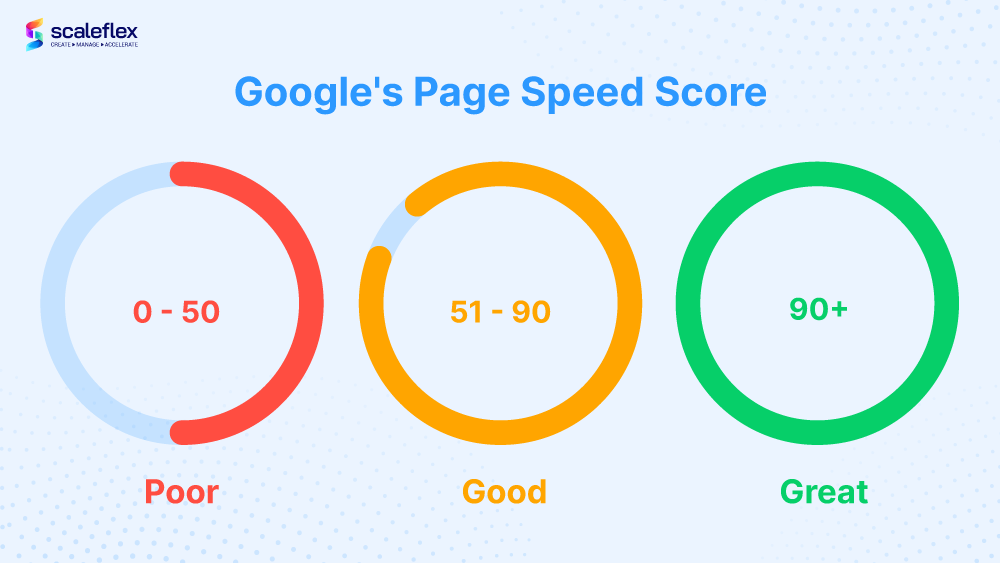
- Google PageSpeed Insights: This free tool from Google analyzes your website’s speed and provides actionable recommendations for improvement. It also offers ongoing monitoring.
- GTmetrix : GTmetrix helps you track page performance, with automated reporting features that help you identify and address issues impacting your page speed.
By setting up automated performance reports, you can keep track of changes in speed and ensure that any issues are addressed promptly.
Conclusion
How automation can improve your website’s page speed for SEO is evident through its ability to streamline many of the processes that traditionally require manual effort. Tools for image optimization, caching, minification, lazy loading, CDNs, and performance monitoring can all be automated to ensure that your website runs efficiently and quickly. The benefits of improved page speed are far-reaching, leading to better user engagement, lower bounce rates, and higher search engine rankings. By implementing automation into your on-page optimization strategy, you can enhance your website’s speed while saving time and improving SEO performance
