

How to Automate On-Page SEO for Faster Results
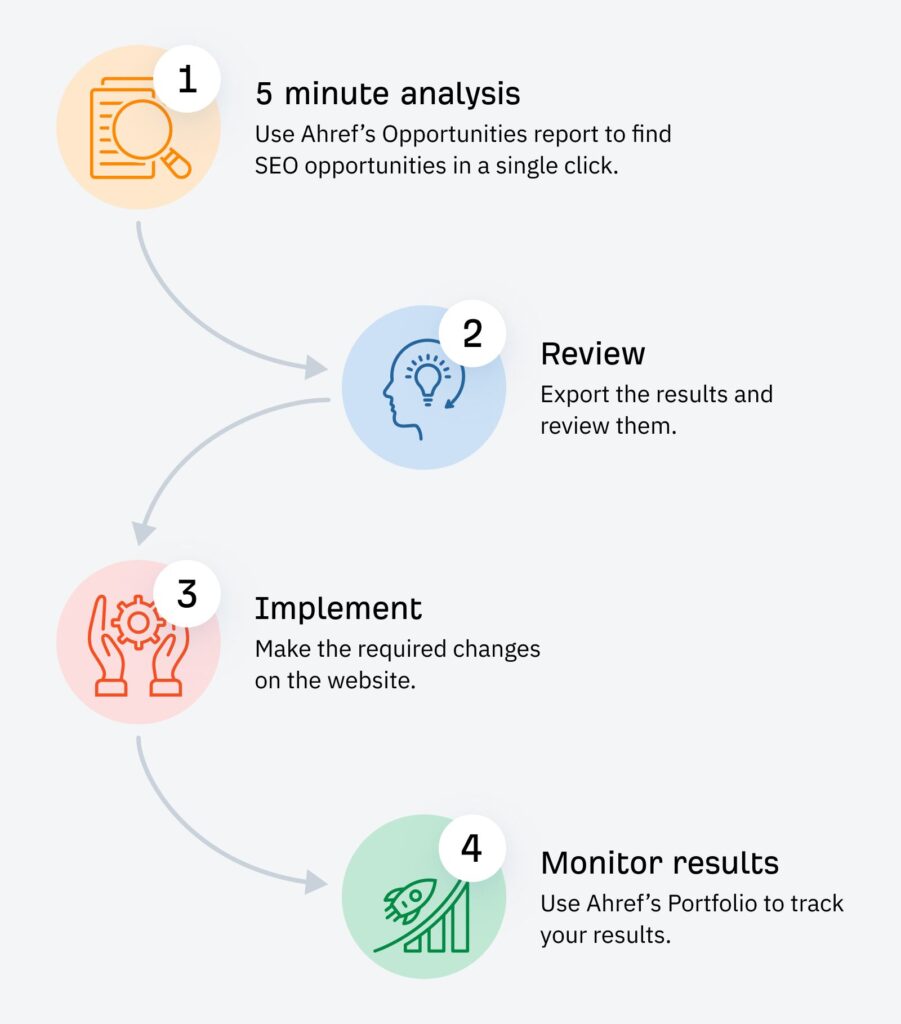
In the fast-paced world of digital marketing, time is money. While on-page SEO is critical for improving a website’s search engine ranking, it can be time-consuming if done manually. Automating on-page SEO allows marketers to save valuable time, reduce human error, and achieve faster, more consistent results. By leveraging tools and systems, you can automate various aspects of on-page SEO, from meta tags to content optimization, freeing up time for strategic tasks that drive growth. In this article, we’ll explore how to automate on-page SEO for quicker, more effective outcomes.
1. Understanding On-Page SEO Automation
On-page SEO involves optimizing elements within your website to improve its visibility and ranking on search engines. These elements include title tags, meta descriptions, headers, URL structures, internal linking, and content. Automating these processes means using tools and platforms that handle repetitive SEO tasks with minimal input from you.
By automating on-page SEO, you not only streamline your workflow but also ensure that key SEO factors are consistently optimized. This can result in faster results, better rankings, and more efficient content management.
2. Automating Meta Tags and Title Tags
Title tags and meta descriptions are foundational to on-page SEO. Crafting compelling, SEO-optimized titles and descriptions can be time-consuming when done manually across multiple pages.
How to Automate:
Many SEO plugins and tools, such as Yoast SEO or Rank Math, allow you to automate the generation of title tags and meta descriptions. These tools can use dynamic variables such as the page title, category, or custom fields to create optimized meta tags.
Benefits:
- Saves time when optimizing large websites.
- Ensures that your meta tags are consistent and adhere to best practices.
- Allows for bulk editing, ensuring that all relevant pages are covered.
3. Automating Content Optimization with AI Tools
Creating SEO-friendly content is essential for on-page SEO, but it can take hours of manual effort to ensure keyword optimization and readability. AI-powered tools can automate much of this process, analyzing your content and suggesting improvements for SEO performance.
How to Automate:
- Content Optimization Tools: Platforms like Surfer SEO and Clearscope analyze your content against top-ranking pages for specific keywords and provide real-time suggestions for better optimization.
- AI Writing Assistants: Tools such as Copy.ai and Jasper use artificial intelligence to generate SEO-friendly content, complete with keyword optimization and readability suggestions.
Benefits:
- Faster content creation with built-in SEO checks.
- Scalable content optimization across multiple pages.
- Improved keyword usage and content structure without manual effort.
4. Streamlining URL and Structure Optimization
Having clean, SEO-friendly URLs is important for both search engines and users. Long, messy URLs can negatively impact your rankings and user experience.
How to Automate:
Many content management systems (CMS) and SEO plugins have automatic URL structuring features. For example, WordPress SEO plugins can automatically create optimized URLs based on the page title or use custom URL structures for product pages or blog posts.
Additionally, CMS platforms can automate redirects when content is moved or deleted, ensuring that broken links don’t negatively impact SEO.
Benefits:
- Consistent, clean URLs across the website.
- Automation of redirects, reducing the risk of broken links and 404 errors.
- Easier navigation for both search engines and visitors.
5. Optimizing Images with Automation
Images play a significant role in on-page SEO, yet optimizing them for SEO is often overlooked. Compressing images, adding alt text, and ensuring that they are responsive across all devices are tasks that can be automated.
How to Automate:
- Image Compression Plugins: Tools like Smush or ShortPixel automatically compress images on upload, reducing page load times and improving performance.
- Alt Text Automation: AI tools such as Cloudinary can automatically generate descriptive alt text for images, improving accessibility and image search visibility.
Benefits:
- Faster website loading times, contributing to better SEO rankings.
- Improved image optimization without manual intervention.
- Increased accessibility through auto-generated alt text.

6. Automating Internal Linking
Internal linking is crucial for distributing link equity and helping search engines crawl your website. However, manually adding internal links can be time-consuming, especially on large websites.
How to Automate:
- Internal Linking Tools: Platforms like LinkWhisper help automate internal linking by suggesting relevant links for your content based on keyword relevance.
- Content Management System Features: Many CMS platforms have internal linking capabilities that can automatically suggest and insert links as you write content.
Benefits:
- Saves time on manual linking.
- Ensures that all important pages are linked within the site.
- Improves crawlability and user experience.
7. Automating Mobile Optimization
With the increasing use of mobile devices, optimizing your website for mobile is essential for both user experience and SEO. Mobile-friendly websites are favored by search engines like Google, and automating mobile optimization ensures your site is always responsive.
How to Automate:
- Responsive Design Tools: Many modern CMS platforms automatically implement responsive design, ensuring that your site adapts to different screen sizes.
- Mobile Optimization Plugins: Tools like WP Touch and AMP for WordPress create mobile-optimized versions of your website automatically.
Benefits:
- Ensures that your website is optimized for mobile without additional effort.
- Increases the chances of ranking well on mobile search results.
- Improves user experience, which can reduce bounce rates.
8. Tracking Performance and Adjusting Automatically
Once you’ve automated your on-page SEO tasks, the next step is monitoring performance and making data-driven adjustments.
How to Automate:
- SEO Analytics Tools: Use tools like Google Analytics, Ahrefs, or SEMrush to track the performance of your on-page SEO efforts.
- AI-driven Adjustments: Platforms like MarketMuse can provide automated content suggestions and adjustments based on changing trends and keyword performance.
Benefits:
- Constantly optimized content based on performance.
- Saves time on manual performance tracking and adjustments.
- Allows for data-driven decisions without extra effort.
Conclusion
Automating on-page SEO is the key to achieving faster results and staying ahead in today’s competitive digital landscape. By using the right tools and systems to automate processes like content optimization, meta tags, internal linking, and performance tracking, you can streamline your SEO efforts and save time.
The automation of on-page SEO tasks doesn’t just speed up your workflow; it also ensures consistent, high-quality optimization that can improve rankings and drive traffic. By implementing these strategies, you’ll be well on your way to achieving faster SEO results with minimal manual effort. Start automating your on-page SEO today and watch your rankings improve faster than ever before!
