

Streamlining Website Operations Automation Tools
Managing a website involves a multitude of tasks, from updating content and monitoring performance to responding to user queries. These operations can become overwhelming, especially for businesses aiming to scale. Enter automation tools — a transformative solution for simplifying website management. By integrating automation into your workflow, you can enhance efficiency, reduce manual effort, and focus on strategic growth.
In this guide, we’ll explore how streamlining website operations with automation tools can revolutionize your approach to website management. Whether you’re a small business owner or a digital marketer, these insights will help you save time, cut costs, and elevate user experience.
Why Automate Website Operations?
Automation tools bring numerous benefits to website management, such as:
- Time Savings: Automate repetitive tasks, freeing up time for strategic activities.
- Error Reduction: Minimize human errors in routine processes like data entry or email responses.
- Scalability: Handle growing traffic and demands without increasing your team size.
- Enhanced User Experience: Respond to user needs faster and more efficiently.
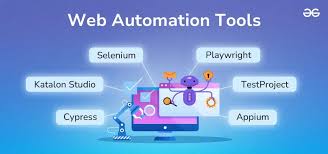
Key Areas for Automating Website Operations
1. Content Management
Keeping website content up to date is crucial for user engagement and SEO. Automation tools can simplify:
- Content Scheduling: Tools like WordPress and HubSpot allow you to plan and publish posts automatically.
- Content Optimization: Use AI-powered platforms like Clearscope or Grammarly to enhance readability and SEO compliance.
- Content Repurposing: Automate the transformation of blog posts into newsletters, social media updates, or infographics.
Example: A blog post scheduled to publish at peak traffic hours increases visibility without manual intervention.
2. Customer Support and Engagement
Real-time customer support is essential for maintaining user satisfaction. Automate:
- Chatbots: AI chatbots like Intercom or Drift can handle FAQs, troubleshoot issues, and guide users through the sales funnel.
- Email Automation: Tools like Mailchimp or ActiveCampaign allow you to send personalized responses, follow-ups, and promotional content.
Example: An e-commerce site uses a chatbot to assist users with tracking orders and resolving payment issues.
3. Website Performance Monitoring
Ensuring your website runs smoothly is critical for retaining users. Automation can help with:
- Uptime Monitoring: Tools like Pingdom and UptimeRobot provide instant alerts if your site goes down.
- Analytics and Reporting: Platforms like Google Analytics can automate data collection and generate reports, giving you actionable insights without manual effort.
Tip: Set up automated alerts for performance metrics like slow load times or high bounce rates to address issues promptly.
4. Marketing Campaigns
From lead generation to conversion tracking, automation tools can streamline marketing efforts. Automate:
- Ad Campaigns: Platforms like Google Ads and Facebook Ads Manager can optimize ad targeting and bidding.
- Social Media Posting: Tools like Buffer or Hootsuite schedule and publish posts across multiple platforms.
- A/B Testing: Automate testing for landing pages or email campaigns to identify what works best.
Example: A travel website automates remarketing ads to target users who abandoned their booking process.
Best Automation Tools for Website Operations
- Zapier
Connects apps and automates workflows without coding. Ideal for integrating various tools. - HubSpot CMS
Combines website management with marketing automation for seamless operations. - Trello with Butler
Automates project management tasks like assigning deadlines or tracking progress. - Hotjar
Automates user behavior tracking to optimize website design and functionality.
Overcoming Challenges in Automation
- Initial Setup Complexity:
- Solution: Start with user-friendly tools offering templates and pre-built workflows.
- Lack of Personalization:
- Solution: Use AI tools capable of analyzing user data to deliver tailored experiences.
- Over-Automation Risks:
- Solution: Strike a balance by automating routine tasks while retaining human oversight for critical areas.
The ROI of Automating Website Operations
Businesses that embrace automation see measurable improvements, such as:
- Increased productivity by focusing on high-impact tasks.
- Enhanced customer satisfaction through faster response times.
- Cost savings by reducing the need for additional staffing.
Case Study: An online retail business implemented automation for inventory updates and customer support, resulting in a 30% reduction in operational costs and a 50% increase in customer retention.
Conclusion
Streamlining website operations with automation tools is no longer a luxury but a necessity for businesses aiming to thrive in a competitive digital environment. By automating repetitive tasks, improving performance monitoring, and enhancing user engagement, you can achieve greater efficiency and scalability.
Ready to transform your website management? Start exploring automation tools tailored to your business needs, and watch your productivity soar while delivering exceptional user experiences.
